Arenyze
 Rainbow Six
 Arknights: Endfield
 THE FINALS
 Delta Force
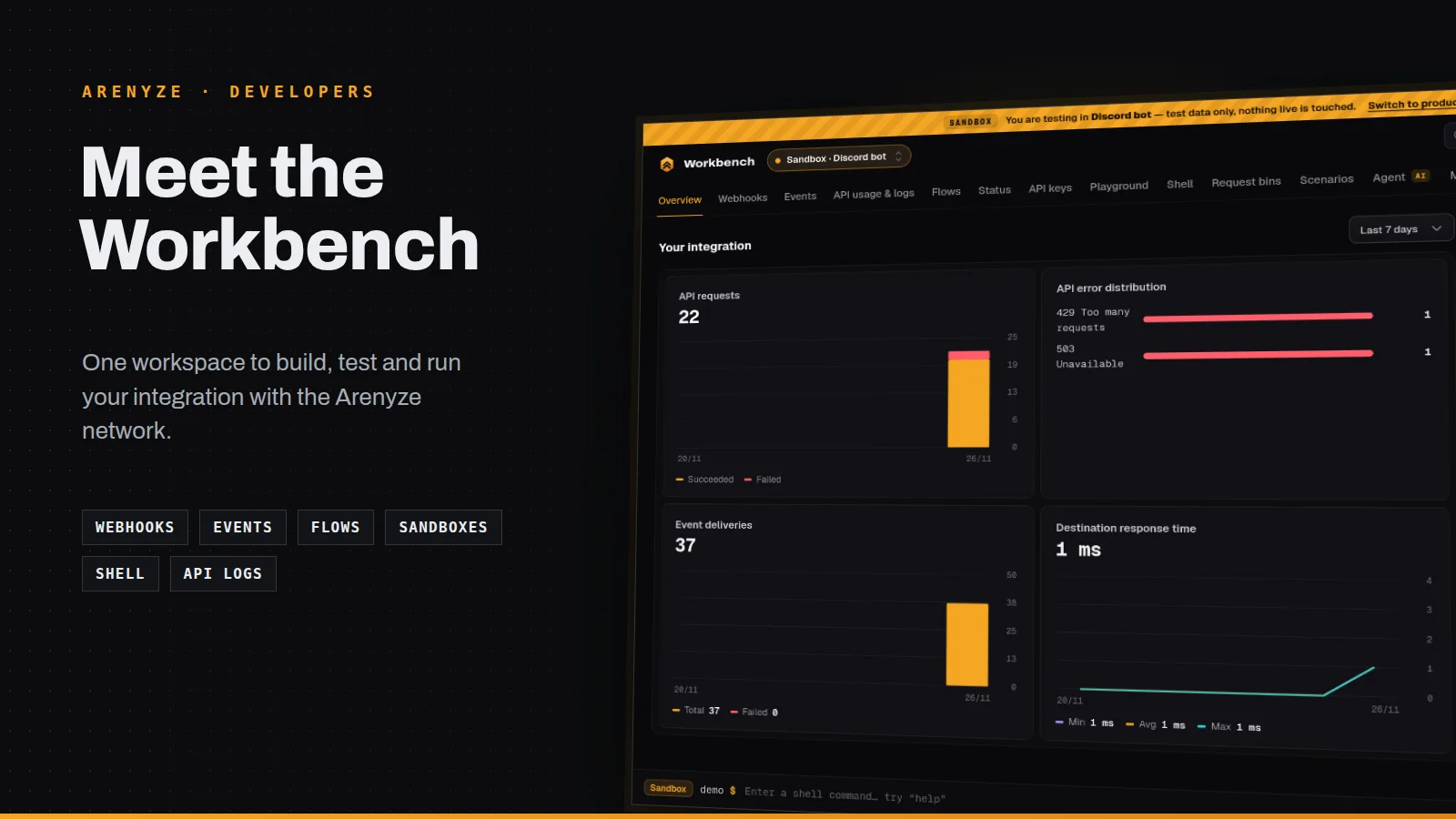
Meet the Workbench: one place to build, test and run your Arenyze integration
Webhooks, events, flows, API logs and a full sandbox with test keys, scenarios and a browser shell — the developer side of the Arenyze network now lives in a single workspace at workbench.arenyze.com.
In this article10 sections
Building on top of a game tracker used to mean juggling a handful of tabs: an API key in one place, webhook settings in another, logs nowhere at all, and testing done against live players and your real quota. The Arenyze Workbench puts all of it in one workspace. API keys, webhooks, events, automations, request logs and a complete sandbox for testing now live together at workbench.arenyze.com, and you sign in with the same Arenyze account you use on every tracker.
This post is a tour of what is inside, who it is for and how to get started in a few minutes.
- One workspace for the Rainbow Six Siege, THE FINALS and Arknights: Endfield APIs and the network's events.
- Production and sandboxes with the same screens: switch with one click, test without touching live data or quota.
- Webhooks and Flows that deliver signed events to your server, or ready-made messages to Discord, Slack and Telegram.
- Logs, scenarios, a browser shell and an API playground to see exactly what happened and why.
- Free to start with any Arenyze account. Premium plans raise the limits.
Who the Workbench is for
If you run a Discord bot that announces rank-ups, a stream overlay that shows a player's stats, a team dashboard or a community site that reads from an Arenyze tracker, the Workbench is your control room. It replaces the Developer and Automations sections that used to live in the arenyze.com profile: everything they did is still here, with far more room to grow.
You do not need to be a professional developer. Many of the most useful things — a message in your Discord server every time a friend climbs a league, a daily summary of your THE FINALS rank in Telegram — can be set up without writing any code.
Production and sandboxes, one interface
The switcher next to the Workbench logo moves you between two kinds of environment that share every screen.
- Production is your live account: your real API key and usage, your webhooks and their deliveries, your flows and the events from the players you follow. Changes here go through the same rules and plan limits as the rest of Arenyze.
- Sandboxes are isolated test environments. Nothing you do inside one can reach live data, and the striped banner at the top of the page reminds you where you are at all times.
Each sandbox comes with its own test keys (they start with az_test_) and its own test API at sandbox-api.arenyze.com. Test requests return realistic, deterministic data — the same request always gives the same answer — and they never count against your monthly quota. You can start a sandbox from a template, such as Discord bot or Rank alerts, which arrives with a key, a webhook and a flow already wired together.
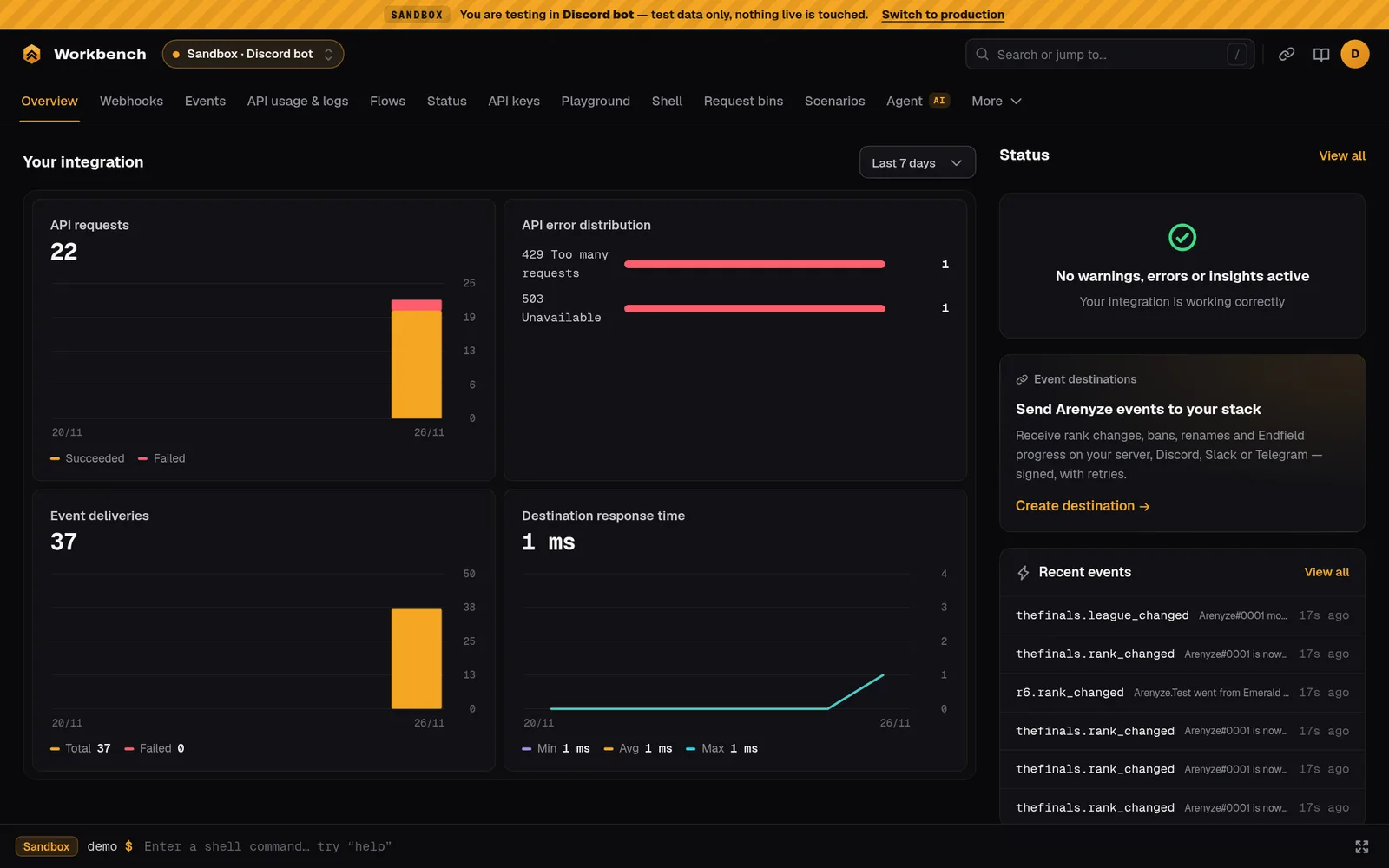
The Overview tab answers the first question you have when you open a dashboard: is everything working? It charts your API requests and how many failed, breaks errors down by status code, counts event deliveries and tracks how fast your destinations respond. The Status panel stays green until something needs your attention.
Webhooks: events delivered where you need them
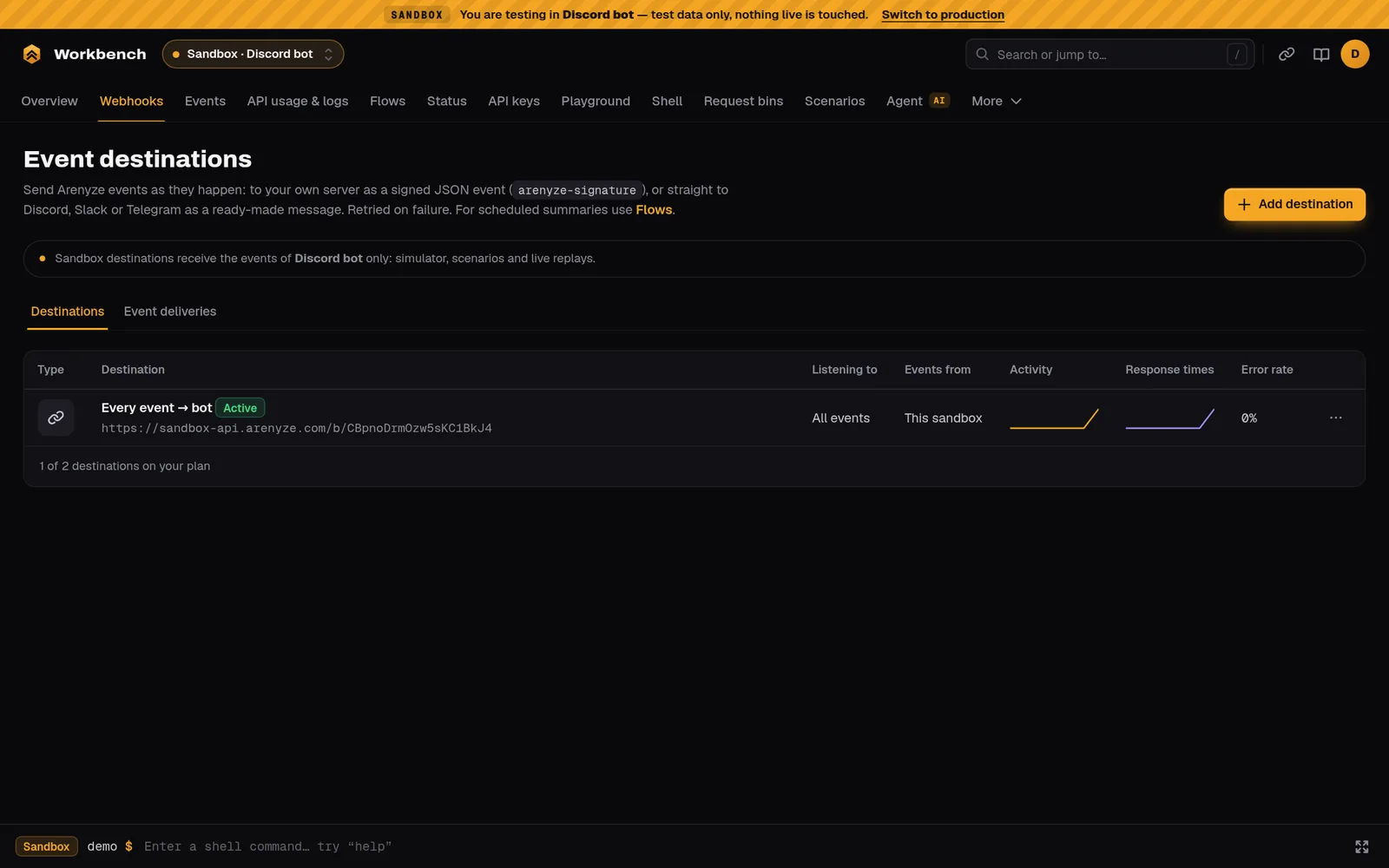
Arenyze trackers notice when things change: a Siege player's rank or RP moves, a THE FINALS player climbs the leaderboard, changes league, switches club, renames or is removed from the boards, an Endfield account levels up or unlocks new operators. Event destinations send those changes to you as they happen.
A destination can be your own server, which receives a JSON event signed with an arenyze-signature header so you can verify it really came from Arenyze, or Discord, Slack and Telegram, which receive a ready-made message with no code on your side. Failed deliveries are retried automatically, and every destination shows its activity, its response times and its error rate at a glance.
Events: every change, with its data
The Events tab is the history of everything that happened to the players you follow. Each event has a readable summary — "Arenyze#0001 moved from Platinum 1 to Diamond 4" — and the full JSON payload your destinations receive, so you can build your integration against real examples instead of guessing at the format.
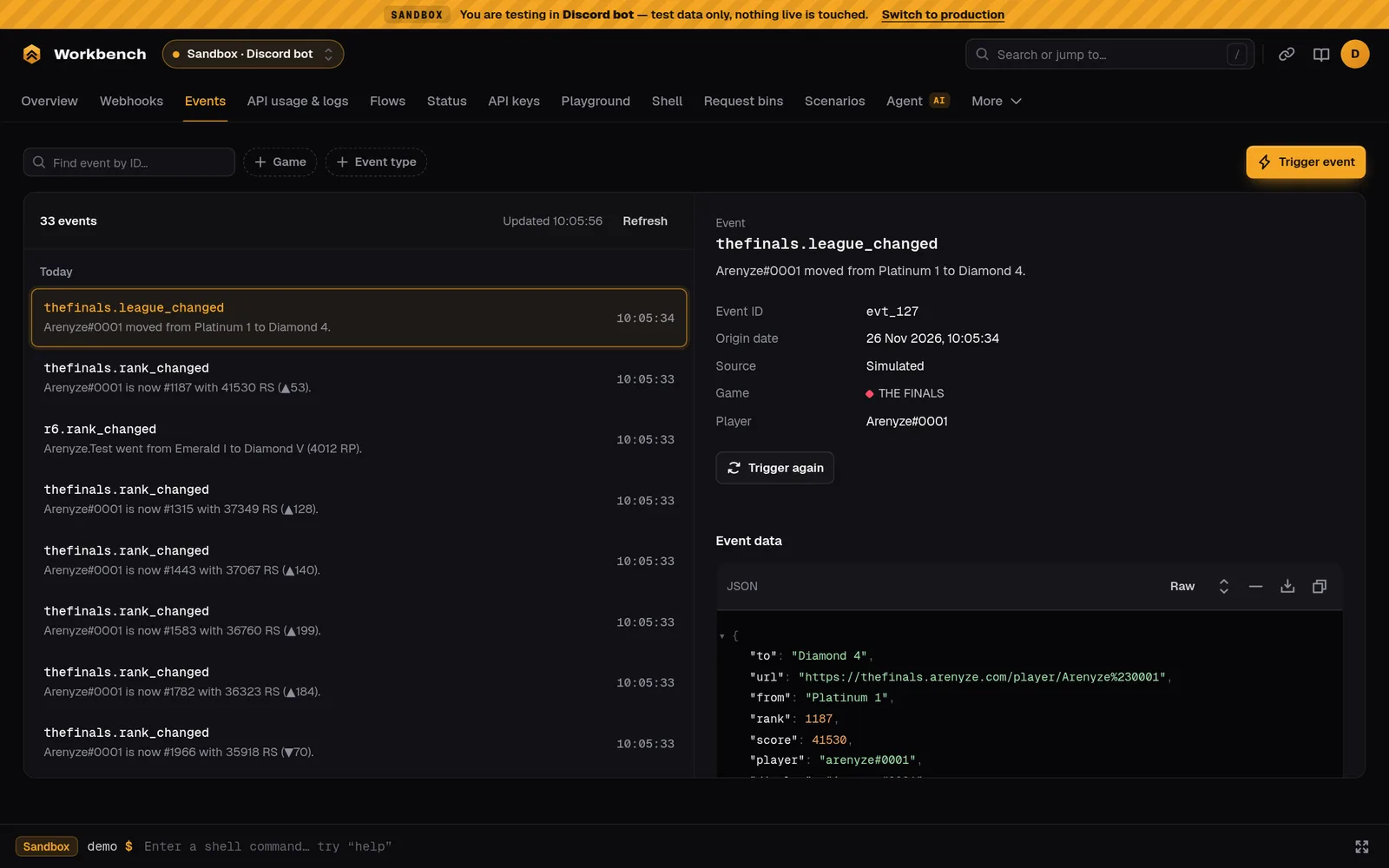
In a sandbox you can also trigger events yourself. Pick an event type, choose a player, and the event is delivered to your sandbox destinations and flows immediately — the fastest way to see what your bot will post before a real rank-up ever happens.
Flows: automations without a server
Flows are small automations that follow a simple pattern: when something happens on the network, or on a schedule, if your conditions are met, then send a message. A flow can post to Discord, Slack or Telegram, call your server or write to a request bin, and it runs on Arenyze's side, so you do not need to host anything.
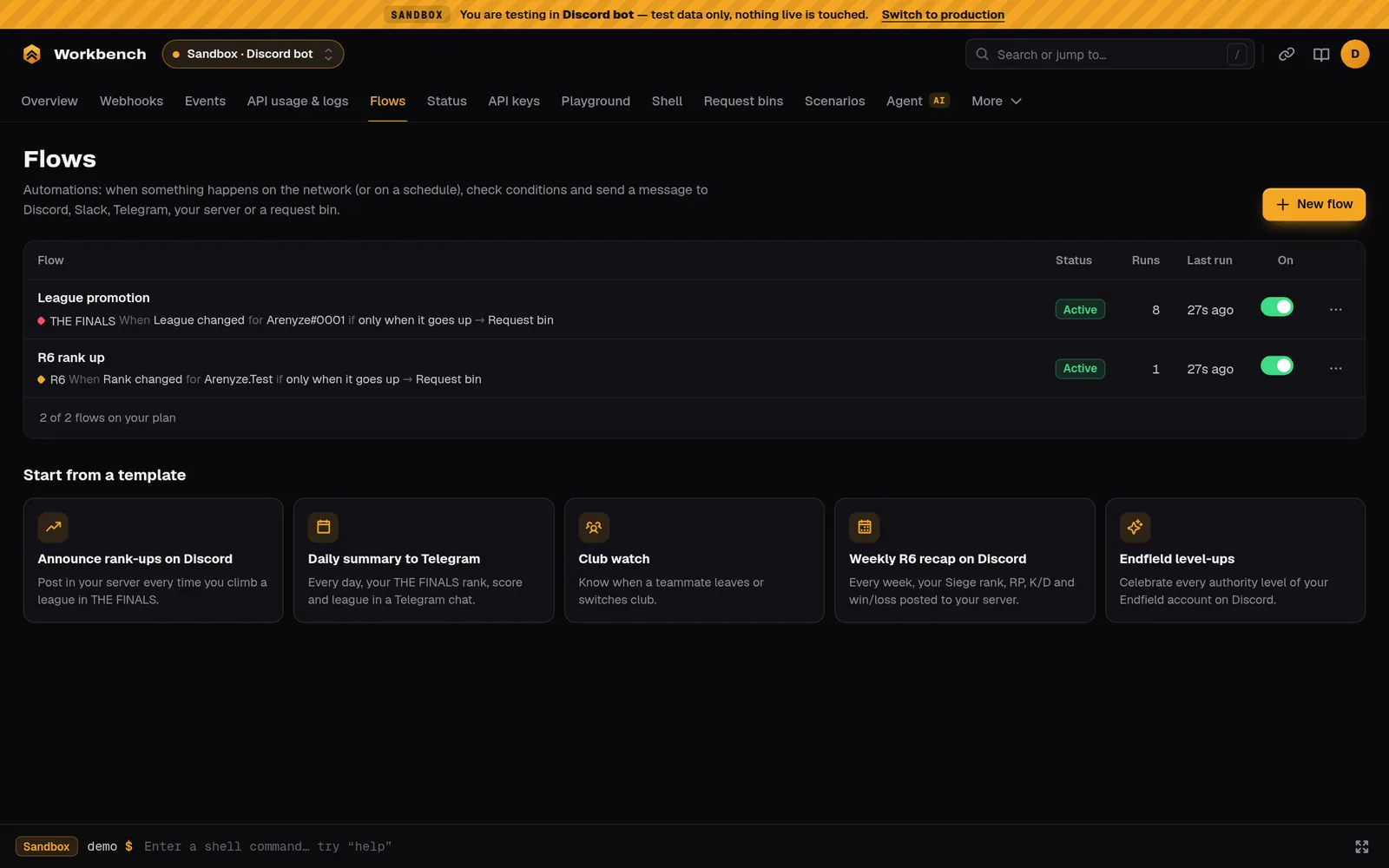
Templates get you started with the automations players ask for most: announcing rank-ups on Discord, a daily summary to Telegram, a club watch that tells you when a teammate leaves, a weekly Rainbow Six recap with rank, RP, K/D and win/loss, and Endfield level-ups. Conditions such as only when it goes up or only inside the top 500 keep the noise down, and a cooldown stops a busy evening from flooding your channel.
Before you switch a flow on, a dry run replays it over the past days of events and shows you exactly what it would have sent.
API usage and logs
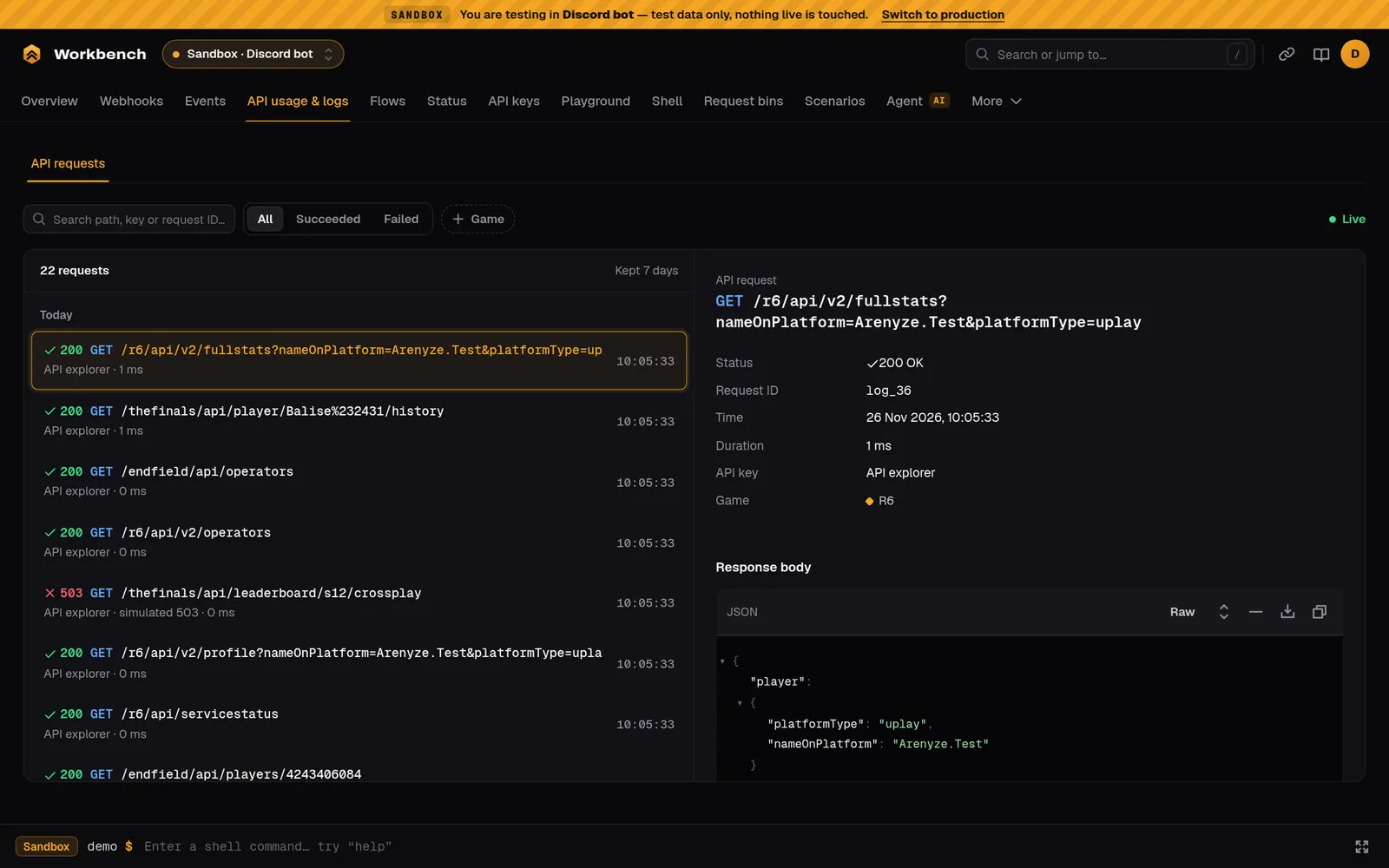
When an integration misbehaves, the first thing you need is the request that failed. API usage & logs lists every call with its status, path, duration and the key that made it. Select one to see the full response body. In production it shows your live usage; in a sandbox it shows every test request, including the errors you simulated on purpose.
Testing the unhappy paths
Most bugs hide in the cases that rarely happen in real life: a player who does not exist, a rate limit, an outage. Sandboxes make those cases easy to reproduce.
- Magic player names. Look up
notfound,ratelimited,errororslowand the test API answers with a 404, a 429, a 500 or a slow response. - Simulated errors. Send the
arenyze-simulateheader with a status code,timeoutorslowto force a specific failure on any request. - Sandbox settings. Add a random error rate or extra latency to a whole sandbox to see how your code behaves on a bad day.
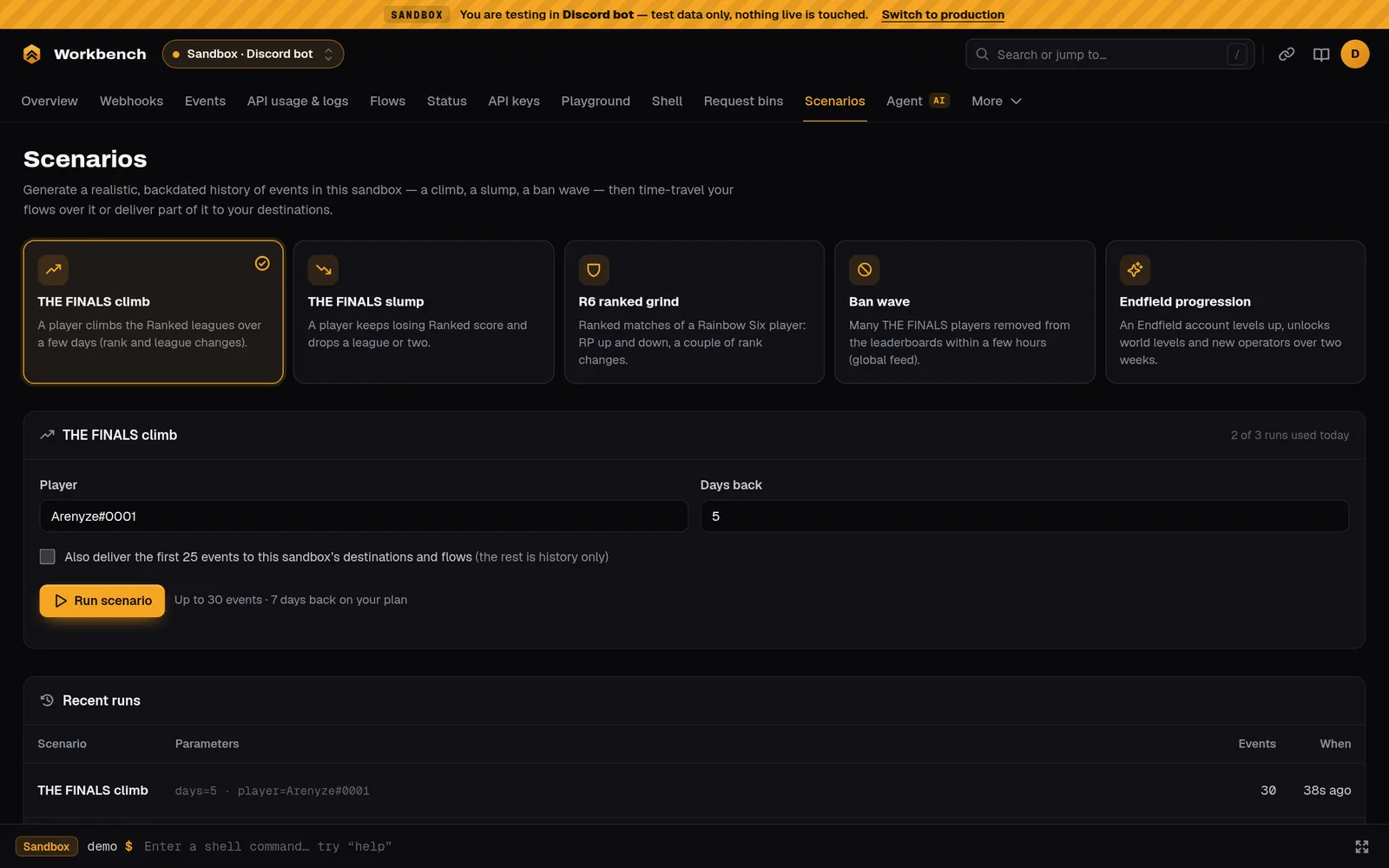
Scenarios go one step further. They generate a realistic, backdated history of events in your sandbox — a THE FINALS climb or slump over a few days, a Rainbow Six ranked grind, a ban wave across the leaderboards, an Endfield account's progression over two weeks — so you can time-travel your flows over it or deliver part of it to your destinations.
The shell, the playground and request bins
For people who prefer a keyboard, every page has a shell bar at the bottom, and the Shell tab opens a full terminal next to an API explorer. Commands such as trigger thefinals.league_changed, events list, deliveries list --failed or get /r6/api/v2/profile do in one line what would take several clicks.
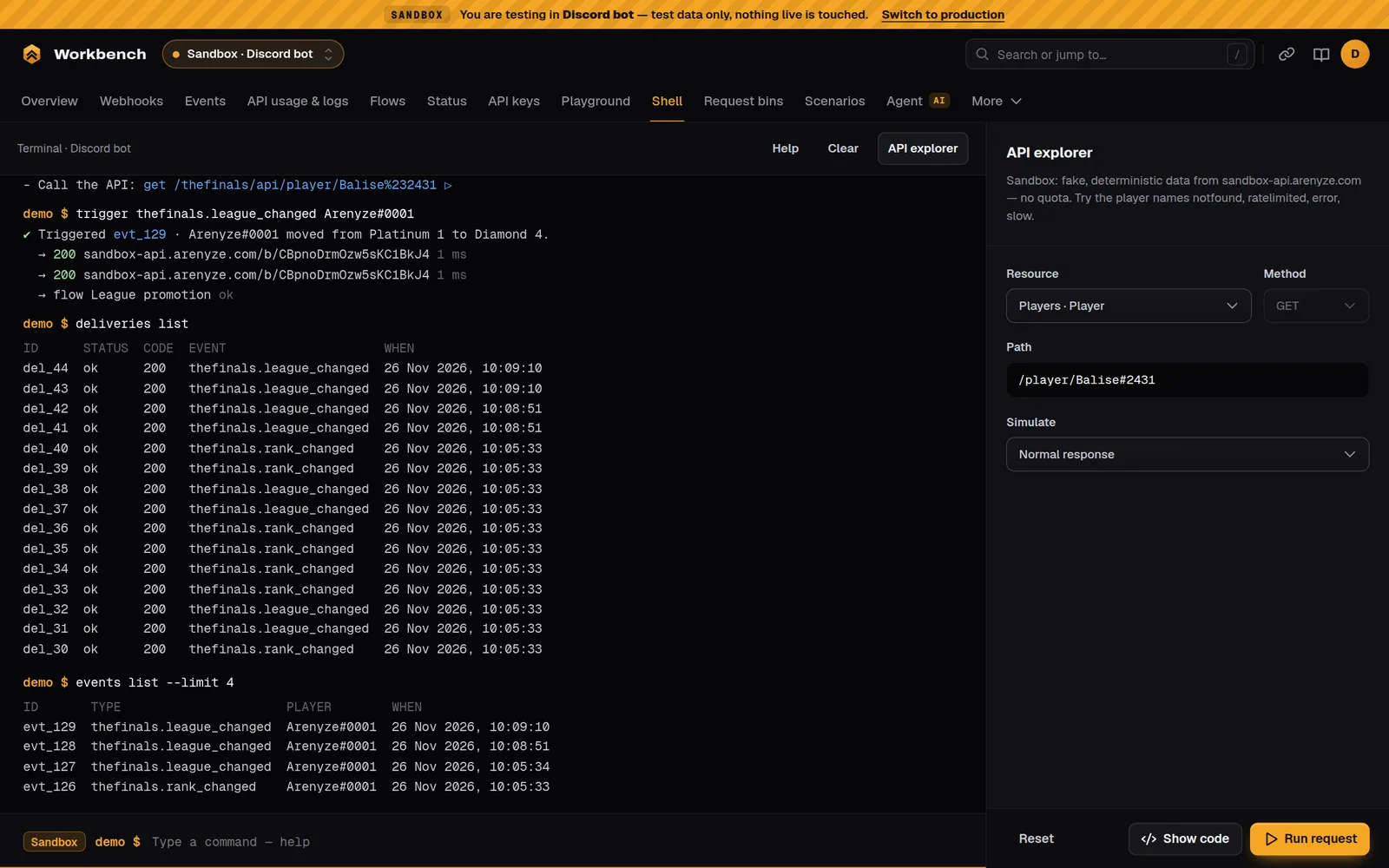
The Playground is the visual version: pick a resource, fill in the parameters, choose a simulated response if you want one, run the request and copy it as cURL, Node or Python. Request bins give you a temporary URL that records everything sent to it, so you can point a webhook at a bin and read exactly what arrives before you write a single line of server code.
Inside sandboxes you will also find the Agent, an AI assistant that can look things up across the network, set up a destination or a flow, trigger test events or run a scenario for you, using the same tools you have on the page.
Limits and plans
The Workbench is free with any Arenyze account. Production follows the API limits of your plan; sandboxes have their own limits, raised by Premium.
| Sandbox limits | Free | Pro | Ultra & Mega |
|---|---|---|---|
| Sandbox environments | 1 | 5 | 20 |
| Test keys per sandbox | 2 | 10 | 25 |
| Destinations and flows per sandbox | 2 each | 10 each | 25 each |
| Request bins | 2 | 10 | 25 |
| Test requests per minute | 60 | 300 | 600 |
| Scenario runs per day | 3 | 30 | 100 |
| Sandbox templates | Basic | All | All |
| Agent messages per day | 20 | 200 | 500 |
Get started in five minutes
- Open workbench.arenyze.com and sign in with your Arenyze account. If you do not have one, create one for free.
- Switch to your sandbox and, if you like, start from the Discord bot or Rank alerts template.
- Create a test key and call the test API from your code, the shell or the playground. Watch the requests appear in the logs.
- Add a destination — your server, a request bin or a Discord channel — and trigger an event to see it arrive.
- When everything works, switch to production, create your live key and recreate the destination or flow there.
The full API reference for each game, the webhook format and how to verify signatures are on docs.arenyze.com, and the health of every API and tracker is on status.arenyze.com.
The people who build and run the Arenyze network: the trackers for Rainbow Six Siege, THE FINALS, Arknights: Endfield and Delta Force, the developer API and the tools around them.